
The premise of the product-service systems design project is to improve the students experience at the University of Antwerp by defining an innovative product-service-system. We decided to focus on the main topic: sharing. Our vision is to improve the student's experience on campus by creating a community by sharing services and unused goods among themselves.
▶ Watch the video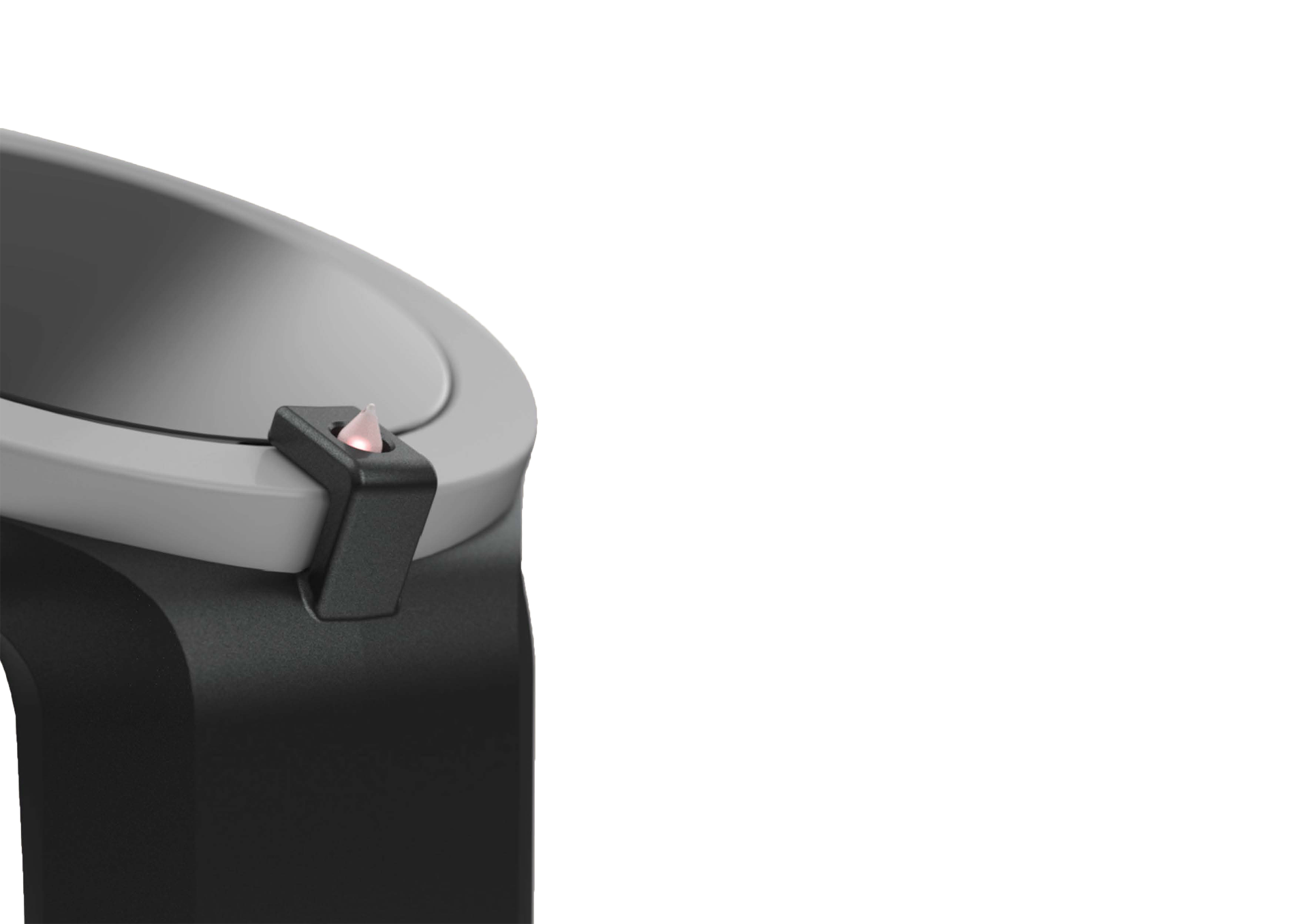
Problem & opportunity
Most products students own sit unused most of the time. They also carry skills they could teach and passions they could share with like-minded peers. Ripple closes that gap by improving access to these underused resources across the campus community.
- Expand their network
- Save budget
- Share passions
- Coach a proactive mindset
- Make life more comfortable
Design process
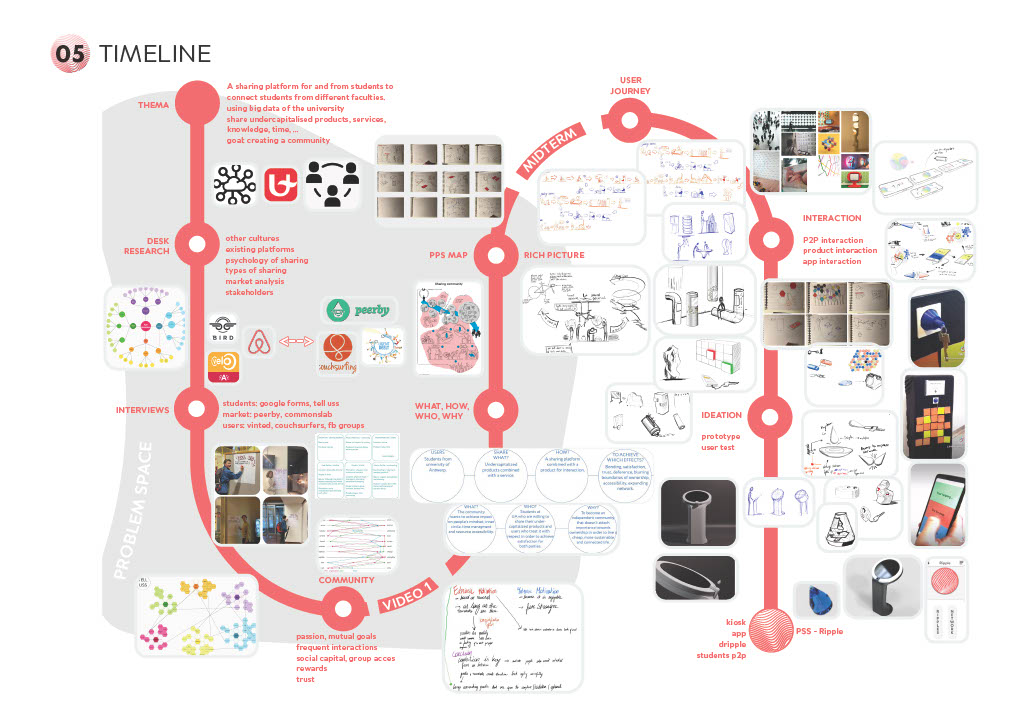
From desk research and interviews on the psychology of sharing, through a PSS map and rich-picture exercise, to a midterm vision and a full ideation, prototyping and user-testing loop. The result is a coherent platform of touchpoints — kiosk, app, dripple and a student-to-student exchange.
Click the timeline to view it full-size.
The system, piece by piece
The app
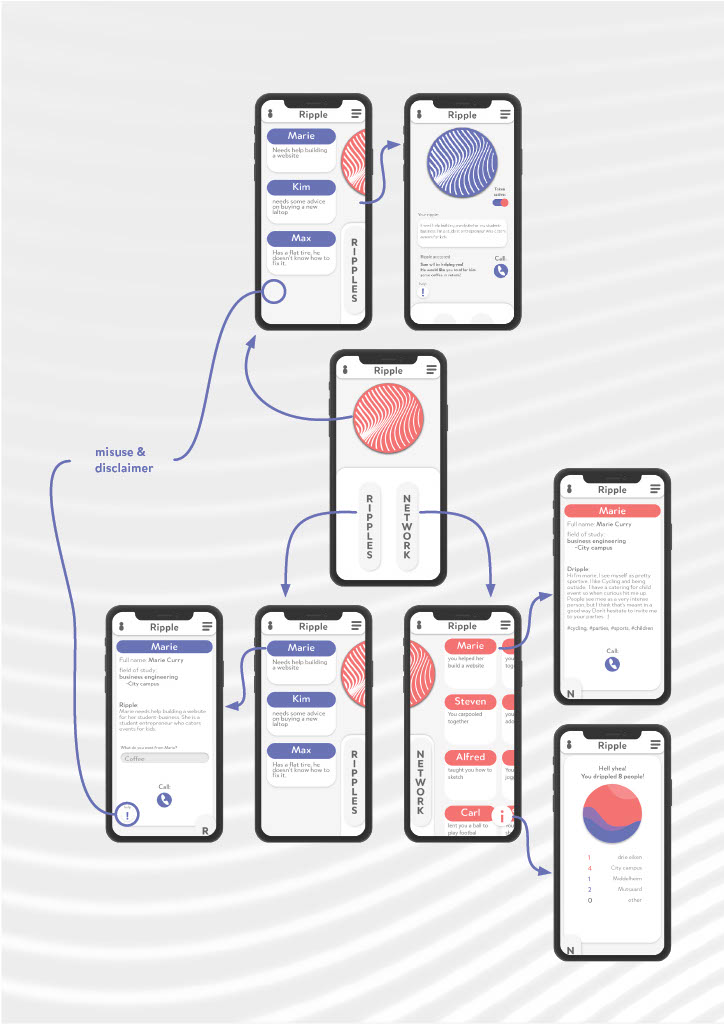
The Ripple app is the user's main hub. Set up a new challenge (a ripple), contact the people you are actively helping, and reach the network of students you have met through Ripple — a quiet, growing safety net.
The Dripple
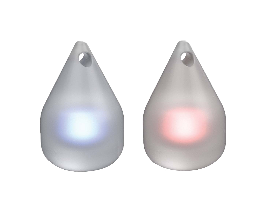
The Dripple is the most personal piece of the system — an NFC-enabled token that stores your profile. Bump dripple to dripple at the end of a session and you are added to one another's networks. A red glow signals an open case; blue means it has been solved.
The Pillar / Kiosk
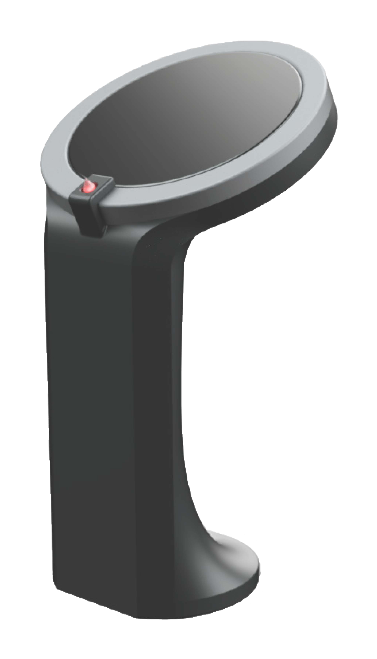
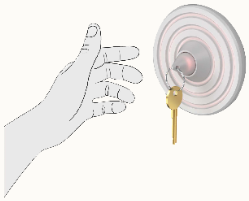
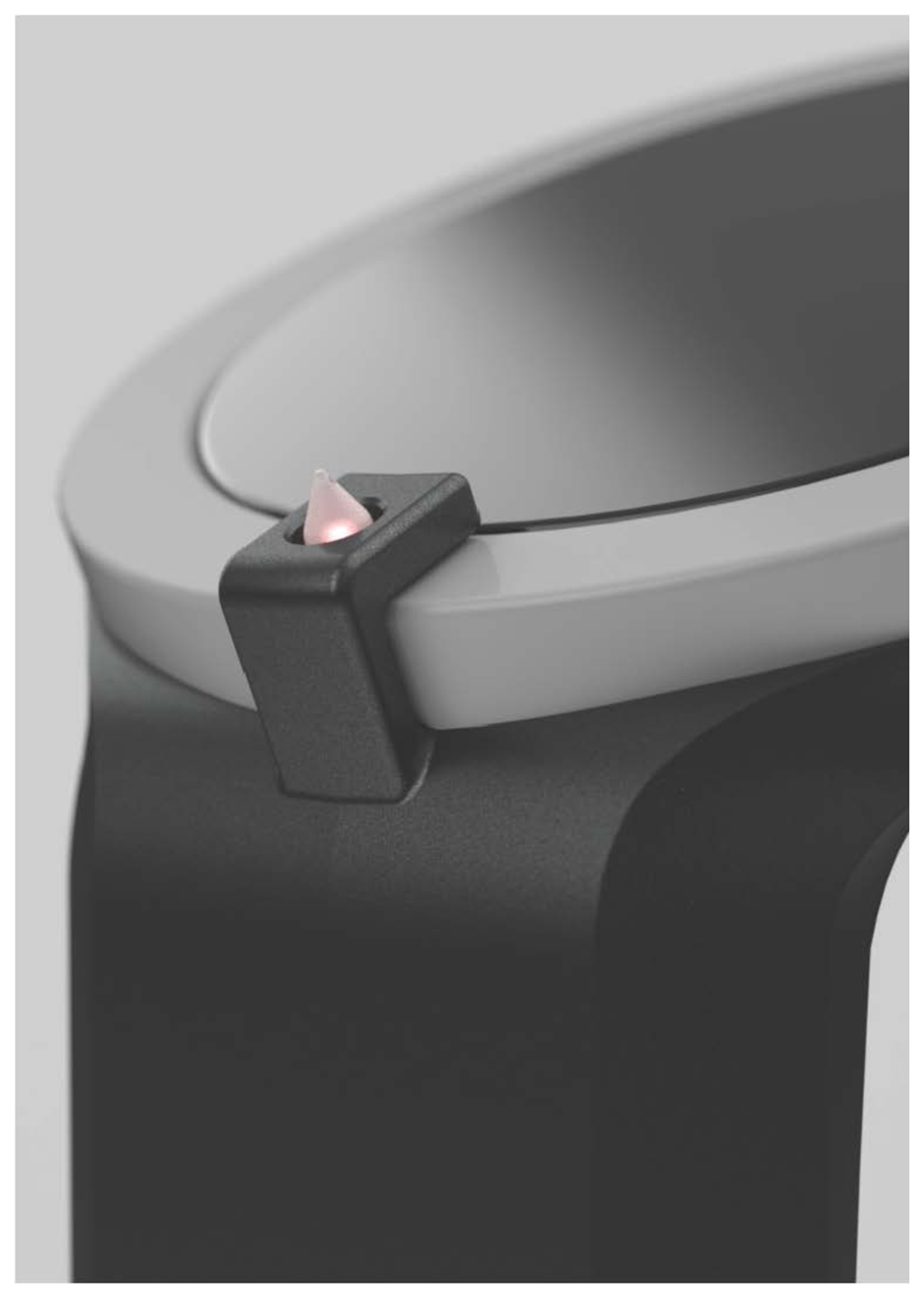
The pillar lives on every campus and is the problem-dataspace of Ripple. Tap your dripple onto it: if your token is active, you can upload a new request; if it is inactive, you can browse the case library and pick a challenge to help with.
The Hub
A dripple-docking station that lives at home. It charges the dripple, acts as a receiver after a ripple bump and quietly broadcasts how active you are in the community — the more you help, the brighter it glows.
Crafted to be tapped
From freshman to active member
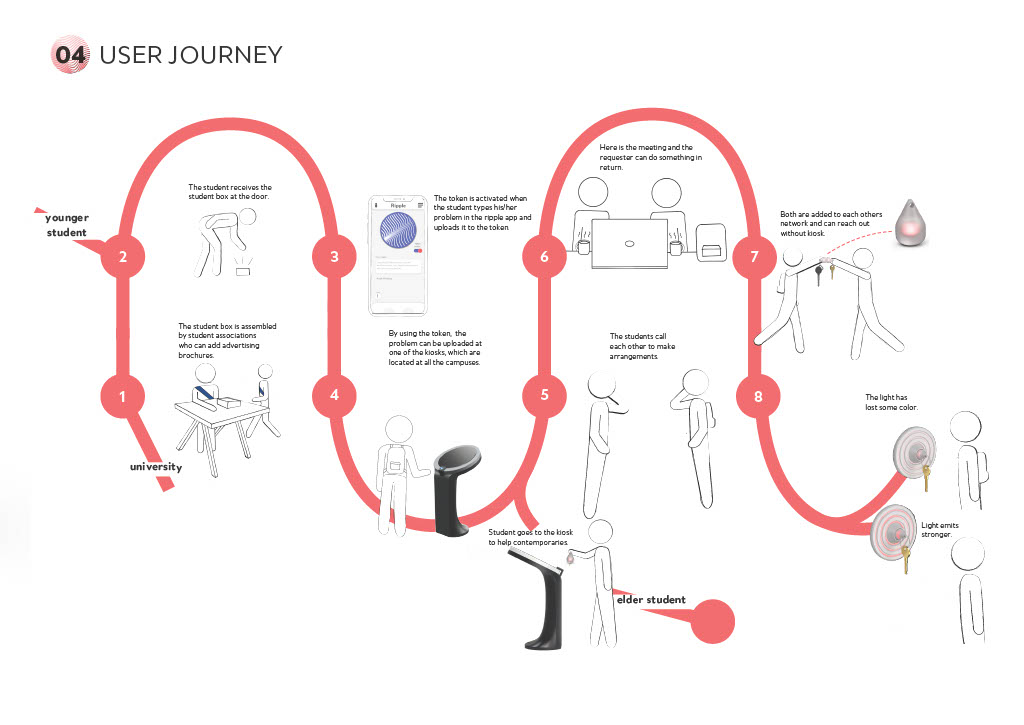
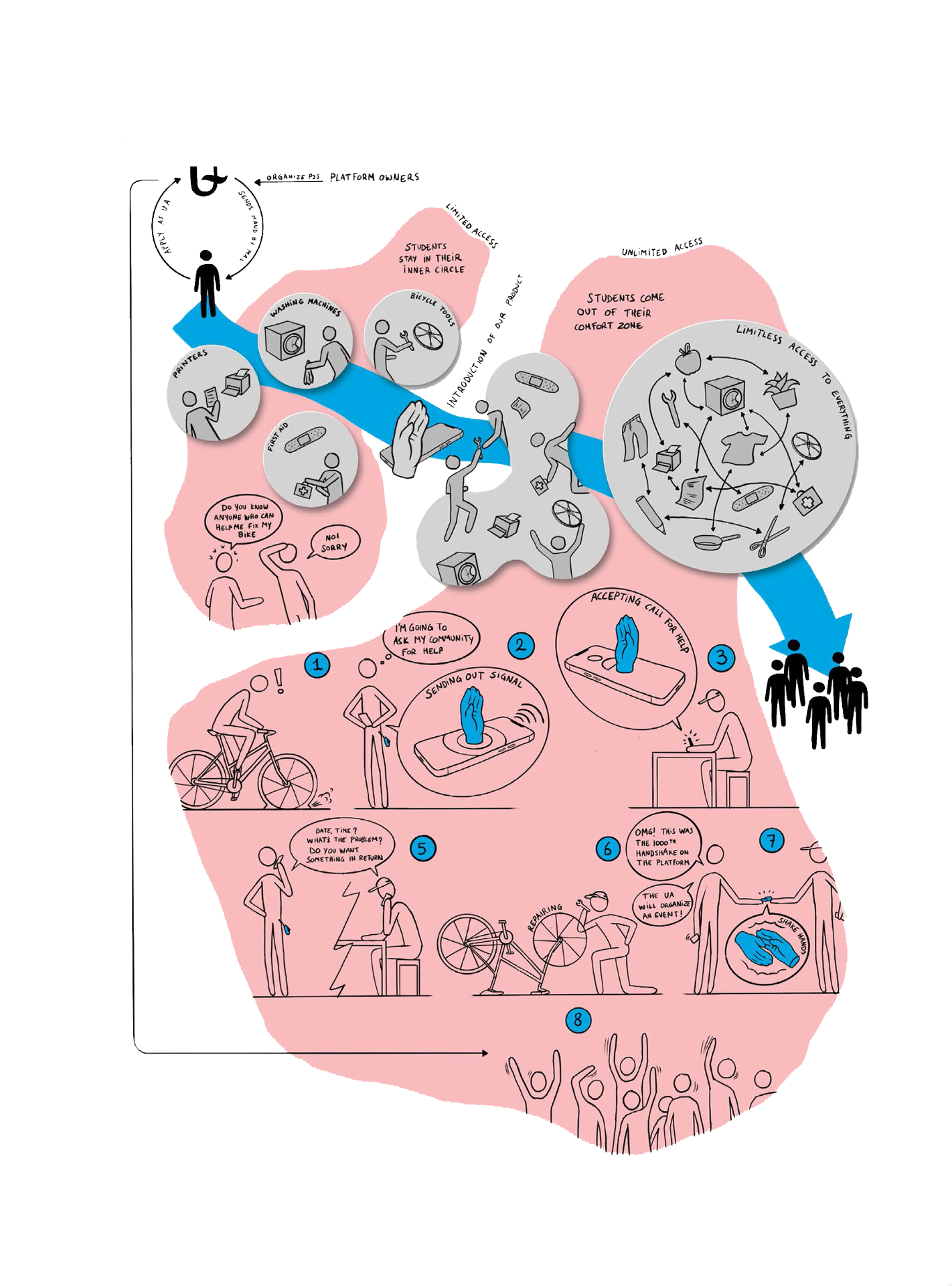
- 1The student receives the student box at the door, assembled by student associations.
- 2Younger student installs the app, sets up Dripple and joins the campus network.
- 3When stuck, they type their question in the Ripple app and upload it to the token.
- 4At any campus kiosk, the dripple is read by NFC and the request goes live.
- 5An elder student browses the kiosk and chooses a challenge to help with.
- 6They meet up — the requester can offer something in return.
- 7A simple dripple-to-dripple bump links them in each other's network, no kiosk needed.
- 8Back at the hub, the dripple charges and its light reflects how active you are.
A small bump. A ripple that travels across campus.
University of Antwerp · Milo Berben · Charlotte Hargreaves · Lars Hermans · Jules Vandewalle